The ArmCare App is designed to take the guesswork out of your training, giving you real-time feedback and personalized programming to build strength, improve recovery, and prevent injuries.
Unfortunately, many players are missing out on some of the ArmCare App’s key features by not completing every step.
If you’re new to the app or just want to ensure that you’re getting the most out of it, take a second to review the breakdown of the daily training process.
1. Daily Check-In
To start your daily training plan, tap the Training icon in the bottom right corner of the app. This will take you directly to your daily session, where you can follow the step-by-step process.
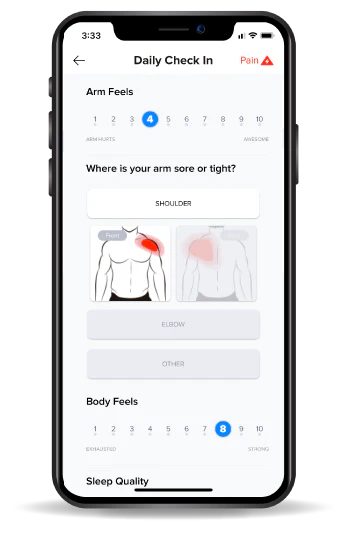
Before you start throwing, lifting, or training, the app asks for a quick Daily Check-In. This is the baseline measurement for how your arm and body feel today.
It takes just a few seconds and helps you determine how to adjust your workload and training plan based on fatigue, soreness, and readiness.
2. Primer (Warm-Up)
Once you check-in, it’s time to get your body ready to go. The ArmCare Warm-Up is called the Primer and is designed to activate all the key muscles for the demands of throwing.
This step ensures your muscles are ready to contract hard, you’ve expanded your range of motion, and you’re ready for peak performance.
The Primer consists of three key processes:
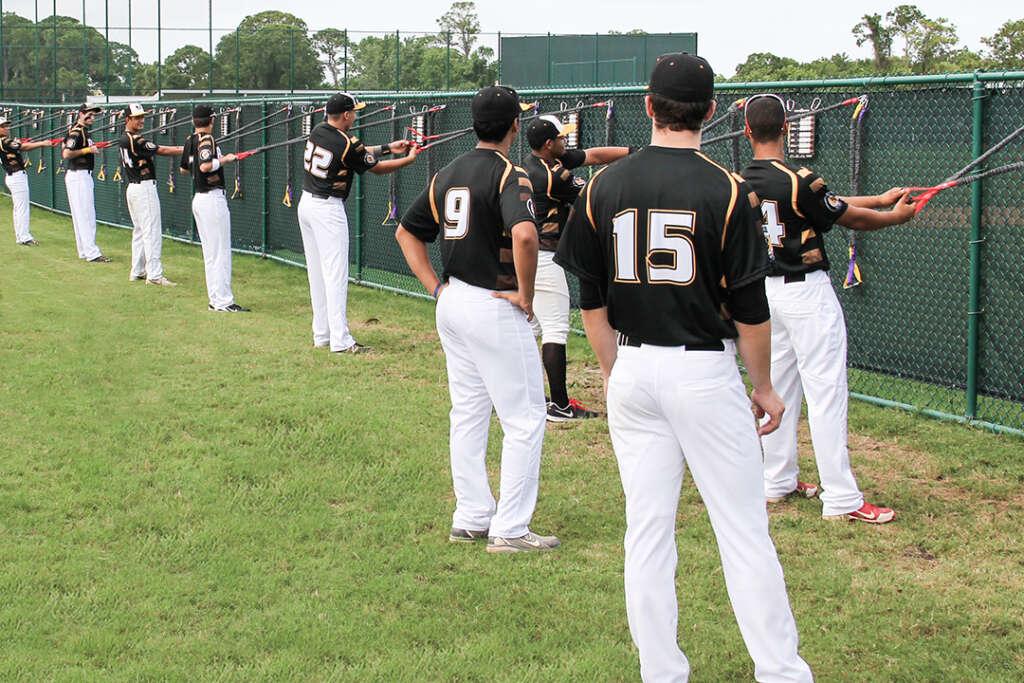
- Shoulder Activation – Engages and activates the rotator cuff and scapular stabilizers to prepare the arm for high-intensity movement.
- Hip & Core Activation – Focuses on stabilizing the lower body and core to ensure efficient energy transfer during throwing.
- Max Effort Potentiation – Uses a max effort contraction to prime the nervous and muscular system for maximal output, improving throwing velocity and power. Ideally, you’ll use the ArmCare Strength Sensor to assess your strength for the day. However, even without the sensor, performing this max effort contraction can enhance your performance, so don’t let the strength measurement stop you from doing this potentiation step.
Feel free to skip ahead to the next section if you prefer to do your own warm-up or if you’re warming up with your team. Just be sure you’re hitting all the pieces of an effective warm-up plan.
3. Fresh Exam (If Needed)
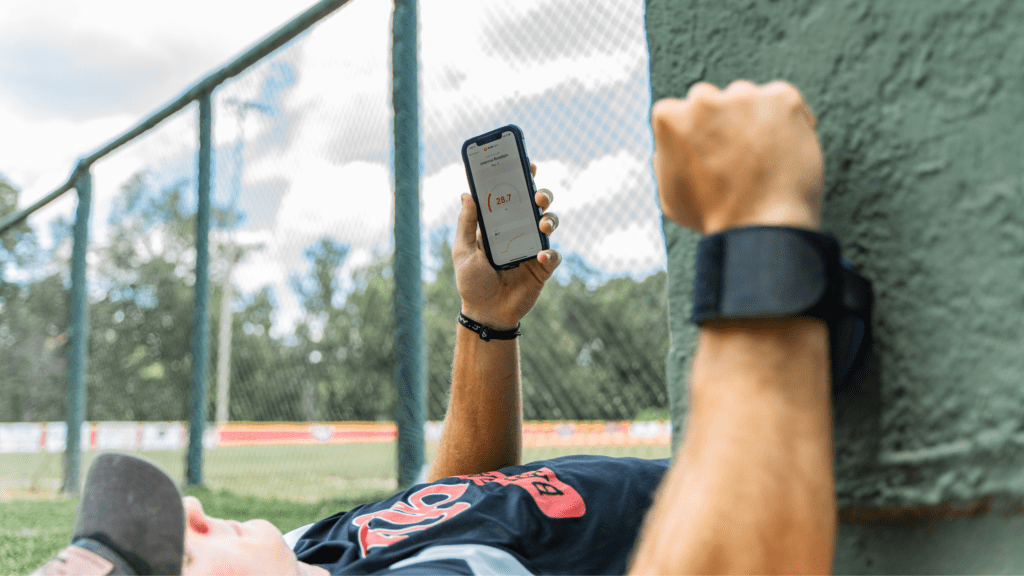
This is where the app really separates itself. The Fresh Exam is a quick strength test that objectively measures how your arm is performing.
The app can adjust your training and workload recommendations in real-time by tracking changes in strength and fatigue. If you’re taking a Fresh Exam today, return to the home screen and hit the Exams Icon.
At a minimum, you should complete the Fresh Exam at least once weekly when your arm is the most recovered, like a bullpen day.
However, we’ve found that players who test more frequently get even better data and results. Ideally, we want players to complete a fresh exam before any high-intent throwing, but you can do it every day if you like. However, we’re finding that you cannot test too much.
4. Throw / Practice / Lift
With your arm primed and tested, it’s time for your work on the field. Or, for those completing their ArmCare Training in the gym, move into your primary lifts for the day.
5. Report Throwing Workloads
After your session, you’ll report your throwing volume and intensity for the day. This step is critical because it feeds into the system’s workload management algorithm, helping prevent overuse while ensuring you get enough high-quality work in. Log your throws and intensity, and the app does the rest.
6. Post Exam (If Needed)
Just like the Fresh Exam, we recommend a Post Exam following any high-intent throwing. This quick test helps monitor how your arm responds to heavy workloads, allowing you to track recovery and spot potential fatigue or weakness before it becomes an issue.
7. Custom Training
Now comes the real magic—your personalized training session.
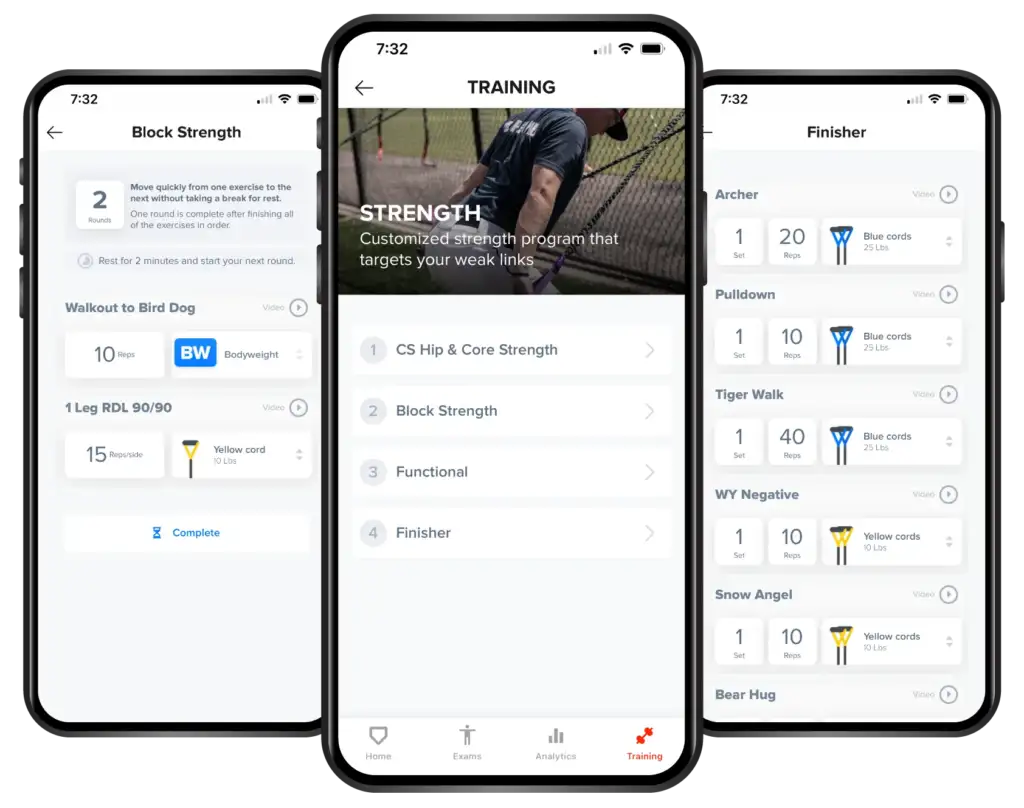
Based on the data collected from your Fresh Exam, throwing workload, and expected throwing workloads, the app prescribes exercises designed to strengthen weaknesses, enhance speed and power, and promote recovery.
This isn’t a cookie-cutter program—it’s customized to what your arm needs today.
Why This Process Works
The ArmCare App isn’t just another training program—it’s a smart system that adapts to your needs in real-time.
The step-by-step process also ensures your body is warmed up and ready to deliver peak performance.
By checking in and testing regularly, tracking workloads, and adjusting training based on objective data, you can maximize performance and reduce injury risk like never before.
The only thing left to do? Show up, check-in, and get to work.